
Your answers, not random AI guesses
Add approved site content, manual knowledge, product notes, URLs, files, and instructions depending on the edition. The helper uses that approved knowledge to answer practical questions.
Put A Fully Trained AI Helper Wherever Buyers Hesitate And Customers Get Stuck
CornerDesk AI puts a trained sales and support helper on your important pages, so visitors can get answers while they are still ready to buy.
See it working
See a visitor ask a real buying question, get a useful answer, and see how Pro handoff protects the cases that need you.
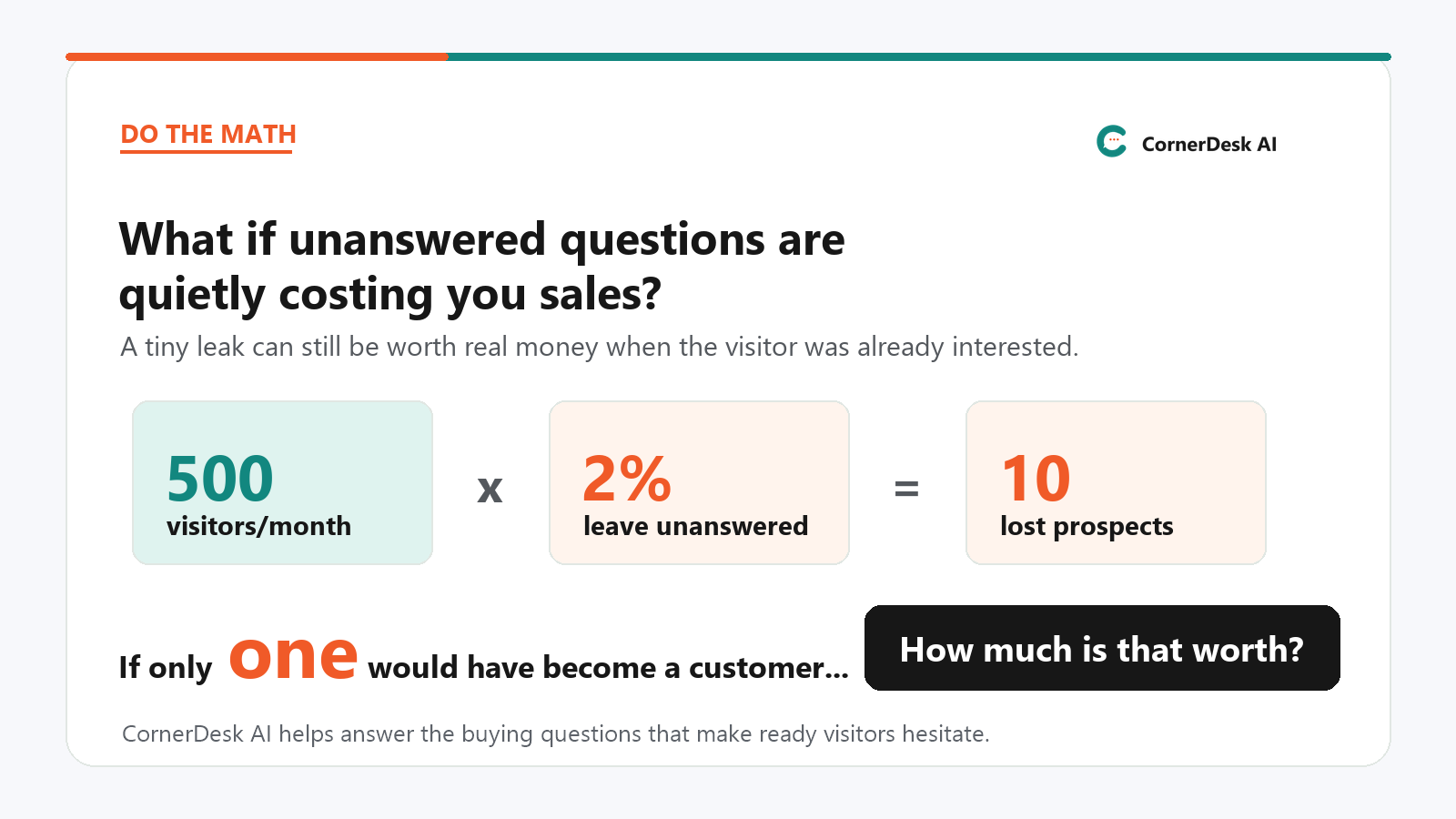
The sales leak
They like the offer. They are close to buying. Then they wonder whether it works with their setup, what happens after checkout, whether the bonus applies, or whether they need another account.
They do not want to hunt through your page, open a support ticket, or wait until tomorrow. So they leave. That is how a warm visitor quietly becomes someone else's customer.
It might be in your FAQ, sales copy, support docs, onboarding notes, product files, or an email reply you have typed over and over.
Give each helper approved knowledge, place it on the right page, and let it answer practical questions while the visitor is still paying attention.
Not another chatbot
CornerDesk AI creates dedicated helpers that answer from your approved knowledge and stay focused on your business. With Pro, they can also hand the conversation to you when a real person should step in.
Add approved site content, manual knowledge, product notes, URLs, files, and instructions depending on the edition. The helper uses that approved knowledge to answer practical questions.
Your homepage, sales page, bonus page, review page, and support page do not all need the same assistant. Give each helper a clear job.
When a Pro helper cannot or should not answer, it can collect the visitor's email and send you the transcript, so you can reply with context.
The cost of doing nothing
Meet CornerDesk AI
CornerDesk AI Pro lets you create specialist helpers for different buying moments, products, offers, and support workflows. Lite stays simpler: up to two WordPress-only helpers for visitors asking about your site content and manual knowledge.
Answer pre-sale questions, explain the offer, remove doubts, and keep buyers moving.
Answer common customer questions before they become another email in your inbox.
Help visitors understand bonuses, deadlines, products, and why they should buy through you.
Where Pro becomes powerful
With Pro, CornerDesk AI is not limited to a single WordPress site install. Use it across unlimited WordPress sites that you own, add the external domains you own in the plugin settings, then place the helper where visitors decide, hesitate, compare, and buy.
Fewer vague support emails
With Pro, if a visitor asks for a real person, CornerDesk AI can collect their email and send you the transcript. That means you reply with context instead of starting from zero.
For sellers, marketers, affiliates, and support-heavy sites
Use Pro where questions slow the sale, drain your inbox, or stop visitors from taking the next step.
Answer fit, guarantee, and compatibility doubts before visitors leave.
Reduce tickets for repeated download, login, account, and setup questions.
Guide customers through common installation and onboarding steps.
Explain bonuses, deadlines, and why buying through you makes sense.
Handle last-minute doubts while the visitor is still ready to buy.
What makes the helper useful
The useful part is not the bubble. It is the training, placement, review tools, and Pro handoff options behind the helper.
With Pro, create separate helpers for sales, support, onboarding, affiliate bonuses, or checkout questions. Lite stays focused on up to 2 WordPress site-content helpers.
Agents use the information you give them. They do not secretly retrain themselves from visitor chats, so you stay in control of what they know.
Lite answers from selected WordPress posts, pages, categories, site content, and manual knowledge entries. With Pro, add file uploads, public URL imports, WordPress content import, and broader document formats.
Helps find the right answer even when visitors phrase the question differently, especially when your Pro agent has more knowledge to search.
Lite works on one WordPress site with shortcode placement and Code Snippets examples for placing agents around that site. With Pro, use unlimited WordPress site installs that you own and show agents on external pages you own after you add their domains in settings.
Review chats, spot repeated questions, and add better approved answers manually. Lite keeps 14 days of conversation history.
When a real person is needed, Pro can collect the visitor email and send the full transcript so you can reply with context.
With Pro, add support desk URL routing, visitor-choice handoff, signed webhooks, avatars, branding options, and model/context controls.

Bring your own key
CornerDesk AI uses your own OpenAI API key, but the setup is not meant to feel like a developer project. Add the key in WordPress, run the built-in test, and the plugin handles the visitor-facing chat requests.
CornerDesk AI is the car. Your OpenAI API key is the fuel.
It also means one less hosted chatbot dashboard to manage. Your agent setup, approved knowledge, conversations, and Pro handoff controls stay inside WordPress, while AI responses still run through OpenAI using your own key.
Not techie? No problem - my tutorial video shows how to get your API key in less than two minutes!
Training sources
Lite keeps training simple: selected WordPress posts, pages, categories, site content, and manual knowledge entries. It is for helping visitors find and understand the content already on one WordPress site.
With Pro, build larger knowledge setups with public URL import, WordPress content import, broader document uploads such as PDF and DOCX, and optional Turbo Boost to help find the right answer when visitors phrase questions differently.
Setup
Lite is the simplest version for people who want visitors to ask questions about one WordPress site's existing content. With Pro, you get the full sales and support agent platform across unlimited sites you own, external pages you own, documents, URLs, advanced handoff, and optional Turbo Boost.
Included customer bonus
One of the first objections people have is simple: "Do I really have to build the whole sales-agent knowledge base myself?"
CornerDesk AI Pro can already pull in a public sales page from its URL and add that page content to the agent's knowledge base. That gives you a fast starting point. This bonus helps you turn that raw sales material into a more complete selling assistant.
CornerDesk AI customers get access to the CornerDesk Sales Agent Trainer, a custom GPT designed to turn your sales page, offer details, pricing, FAQs, proof, bonuses, guarantee, checkout links, and product notes into a structured, copy-ready sales-agent package. It can be used with a free ChatGPT account, so you are not adding another paid tool just to prepare your first helper.
With Pro, use URL import for the page itself, then use the Sales Agent Trainer to add the extra buying logic, guardrails, and answer structure that help your agent go beyond repeating page copy.
Get CornerDesk AI And The BonusesFree Bonus Included
Your Fast-Start Sales Agent Builder Turn your offer details into sharper answers, better guardrails, and stronger buyer guidance.
Free Bonus Included
Your Fast-Start Pro Support Agent Builder Turn product material into clearer answers, smarter gap checks, and better Pro handoff rules.
Included customer bonus
A support helper is only as good as the answers you give it. The hard part is not usually writing one answer. It is remembering all the little questions customers ask after buying.
CornerDesk AI customers also get access to the CornerDesk Support Agent Trainer, a custom GPT designed to turn your product materials, help notes, course content, plugin details, onboarding steps, and support emails into a clearer support-agent knowledge package. With Pro, it is especially useful for building support agents with documents, richer knowledge, and handoff rules.
It helps you think through the obvious questions, the easily missed questions, and the Pro handoff situations where a real person should step in, so your CornerDesk support agent starts with stronger answers on day one.
Use it to build the first version of your support knowledge base, then improve it over time by reviewing real CornerDesk conversations and adding better approved answers.
Get CornerDesk AI And The BonusesBonus GPT trainers are included with both Lite and Pro. Lite users can use them to create clearer agent instructions and manual knowledge entries. Pro users can use the full generated knowledge-base documents with CornerDesk AI Pro's document, URL, Turbo Boost, and handoff features.
Choose the version that fits the leak
Choose Lite if you mainly want visitors to ask questions about the content on your own WordPress site. Choose Pro if you want proper AI sales and support agents with documents, URLs, external pages, Turbo Boost, handoff, and deeper control.
Lite
Just $47 $42
For blogs, niche sites, resource sites, and simple WordPress FAQs where visitors should be able to ask about your existing site content.
Pro
Just $67 $49
For sellers, marketers, product creators, course sellers, affiliates, and support teams who need the full sales and support agent toolkit.
Lite is a WordPress-only content helper. Pro is the full AI sales and support agent platform.
Choose Pro if your answers live in product PDFs or Word documents, you need more agents, you want public URL imports, Turbo Boost, external embeds, handoff, custom avatars, branding controls, or the helper on external landing pages, sales pages, review pages, and bonus pages you own.
| Feature | Lite | Pro |
|---|---|---|
| Best fit | WordPress site content helper for blogs, niche sites, resource sites, and simple FAQs | Full AI sales and support agent platform for marketers, product creators, course sellers, affiliates, and support teams |
| WordPress site installs | Single WordPress site install | Unlimited WordPress sites you own |
| Number of agents | Up to 2 agents | More agents with separate admin names, public names, instructions, knowledge, appearance, and handoff routes |
| Manual knowledge entries | Included | Included |
| WordPress content knowledge | Selected posts, pages, categories, and site content from the installed WordPress site | Included alongside documents, URLs, WordPress content, and manual knowledge |
| File and document uploads | Not included | Included; supported files can be up to 10 MB each |
| Supported upload formats | Not included | TXT, Markdown, HTML, HTM, PDF, DOCX, and best-effort legacy DOC files up to 10 MB each |
| Public URL import | Not included | Included |
| Turbo Boost semantic retrieval | Not included | Optional Pro feature that helps find the right answer when visitors phrase the question differently |
| Conversation history | 14-day history | Searchable conversation history with transcript review, status, email, and handoff details |
| Human handoff | Not included | Email, support desk URL, visitor-choice, and webhook options |
| Signed webhook handoffs | Not included | Included for automation tools, support systems, and ticketing workflows |
| External website embedding | Not included | Included for external websites you own once you add their domains to CornerDesk AI's allowlist in settings |
| Domain allowlists | Not included | Included so only external domains you approve in settings can load your agents |
| WordPress placement | Shortcode placement on the single licensed WordPress site, with Code Snippets examples for common placements | Included across unlimited WordPress site installs that you own and on external pages you own once their domains are added in settings |
| Avatar controls | Default avatar only | Direct URL, WordPress Media Library upload/selection, and optional AI avatar generation |
| Branding control | CornerDesk AI branding always shown; optional affiliate URL for the Powered by CornerDesk AI link | Optional branding controls plus affiliate linking when branding is shown |
| Diagnostics | Diagnostics screen and downloadable support diagnostics file | Included |
| Visitor message limits | Included | Included with broader AI/model/context controls |
| Advanced AI/model/context controls | Not included | Included for model overrides and larger context controls |
Especially useful for digital products
If you sell courses, plugins, memberships, templates, software, coaching, affiliate offers, or downloads, people ask the same questions again and again.
CornerDesk AI does not automatically learn from those chats. Instead, you can review conversations, spot the questions people keep asking, and add approved answers to the helper's knowledge.
7-day guarantee
Set up a helper, add your common questions, and place it where buyers or customers get stuck. If CornerDesk AI does not do what this page says and support cannot help resolve the issue, contact us within 7 days for a refund.
Choose Lite Or ProMore sales, fewer tickets, more time
Your visitors already have questions. Your customers already need help. CornerDesk AI gives them a trained helper that can answer, guide, reassure, and hand off when needed.
See Pricing OptionsFAQ
No. Lite is a trained WordPress content helper for your own site content and manual knowledge. Pro is the full sales and support agent platform, with broader knowledge sources, deeper conversation review, and smart human handoff.
Yes. CornerDesk AI requires PHP 8 or newer on the WordPress site where the plugin is installed. Most modern WordPress hosting supports PHP 8, but if your site is older, check your hosting control panel or ask your host before buying.
With Pro external embeds, the outside page can be hosted elsewhere, but the WordPress site that manages the agent still needs PHP 8 or newer.
It gives hesitant buyers a place to ask questions before they leave. If your helper can answer their setup, compatibility, guarantee, bonus, or checkout question, they are more likely to keep moving.
Lite can help visitors find answers already inside your posts, pages, categories, and manual knowledge. Pro can be trained as a fuller first-line support agent for login, download, setup, onboarding, account, and product questions.
Yes. CornerDesk AI uses your own OpenAI API key, which keeps you in control of your own AI usage instead of locking you into a separate credit system.
Yes, because CornerDesk AI uses your own OpenAI API key. For normal sales and support questions, API usage is usually small: even a thousand short Q&A-style conversations should be a modest usage cost rather than another heavy SaaS bill.
Longer conversations, more expensive models, large knowledge requests, and Pro Turbo Boost indexing can increase usage, so your OpenAI dashboard is still the best place to keep an eye on spend.
Yes, with Pro. Lite is a single WordPress site install and cannot be embedded on external sites under any circumstance. Pro supports unlimited WordPress site installs that you own and can securely embed an agent on any external website you own or control: you add its domain to CornerDesk AI's allowlist in settings, and only domains on that allowlist can load the widget.
Yes. Pro is a strong fit for affiliate bonus pages and review pages because it can answer product, deadline, bonus, setup, and "should I buy this?" questions before the visitor clicks away.
CornerDesk AI sends AI requests to OpenAI through your connected API key. If Pro human handoff is enabled, the widget may collect the visitor's email address and include the conversation transcript so you can respond. Make sure your own privacy notice explains how you use chat transcripts and contact details.
If you use Pro Turbo Boost, selected knowledge is also sent to OpenAI when creating or refreshing the Turbo Boost index.
Lite is a single WordPress site install. It is designed for up to 2 WordPress content helpers that answer from selected posts, pages, categories, site content, and manual knowledge entries on that one site.
Pro is designed for unlimited WordPress site installs that you own plus external websites you own or control, such as landing pages, sales pages, review pages, and bonus pages.
For external Pro embeds, you add the domain to CornerDesk AI's allowlist in settings. Only domains on that allowlist can load the widget.
CornerDesk AI Pro can be installed on unlimited WordPress sites that you own. If you run several blogs, niche sites, product sites, or membership sites, you can install and configure CornerDesk AI separately on each one.
Pro also lets you display agents on unlimited external pages and domains you own or control. For example, you could manage an agent from your main WordPress site and place it on separate landing pages, sales pages, review pages, or bonus pages hosted elsewhere.
External domains must first be added to your approved domain list in CornerDesk AI settings. This prevents unauthorised sites from loading your agents.
This is an owner licence, not an agency or client-site licence.
No. CornerDesk AI should not invent random external links or send visitors to unrelated off-site pages. Related links should be limited to published internal WordPress posts/pages.
External links can appear when you deliberately provide the exact URL in trusted instructions or knowledge, such as an approved affiliate or bonus link.
You can. There are plenty of them. But hosted tools usually mean another SaaS dashboard, another monthly bill, another set of rules, and another place where your agent setup and conversations live.
CornerDesk AI runs from your WordPress site, uses your own OpenAI API key, and lets you create, manage, train, customise, and review your agents from your own dashboard.
To be clear, the AI responses still go through OpenAI using your key. But your agent setup, knowledge, conversations, and Pro handoff controls stay managed inside your WordPress installation rather than being locked inside a separate chatbot platform.
So if you want a fully hosted external system, use one. If you want an AI front desk you control from WordPress, with Pro deployment on external pages you own and add in settings, CornerDesk AI is built for that. No lanyards required.
Yes, but the limit depends on the edition. CornerDesk AI Lite is limited to 2 WordPress content helpers. Pro is designed for broader multi-agent and multi-site sales, support, setup, affiliate, and campaign use.
Lite answers from selected WordPress posts, pages, categories, site content, and manual knowledge entries. Pro adds public URL import, WordPress content import, and richer document uploads including TXT, Markdown, HTML, HTM, PDF, DOCX, and best-effort legacy DOC files up to 10 MB each.
Not in Lite. Lite does not include file uploads. Pro is the edition intended for document knowledge, including readable PDFs, Word documents, TXT, Markdown, and HTML files.
No. CornerDesk AI does not silently update its own knowledge base, instructions, or training from visitor chats. It can store conversations if logging is enabled, so admins can review repeated questions and add better approved knowledge manually or tweak the copy on the page to rectify the information gap.
That is intentional. It keeps the helper grounded in approved business information rather than learning from unverified visitor messages.
Turbo Boost is a Pro feature that helps the helper find the right answer even when visitors phrase the question differently. It is most useful when there is a bigger Pro knowledge base from documents, URLs, or site pages to search.
It is optional per agent, uses extra OpenAI API calls when indexing/searching, and falls back to normal matching if it is not enabled or has not been built.
No AI tool can promise that. CornerDesk AI answers using the instructions and knowledge you provide. In Pro, human handoff is there for cases where a real person should step in.
The better the knowledge you give it, the better the answers. CornerDesk AI is a trained helper for your site, sales, and support information, not a magic mind-reader.
In Lite, the helper can answer from the WordPress content and manual knowledge you have given it, and you can review the 14-day conversation history to spot gaps and add better manual knowledge. Lite does not include human handoff.
Pro adds human handoff options such as email transcript handoff, a support desk URL, visitor-choice routing, and signed webhook handoffs for automation and ticketing workflows.
No. The OpenAI key is stored and used server-side through WordPress. It is not sent to the visitor's browser.
Yes, but the controls differ by edition. Lite uses the default avatar and always keeps CornerDesk AI branding visible, with an optional affiliate URL for the Powered by CornerDesk AI link. Pro unlocks stronger appearance controls, direct URL or Media Library avatar selection, optional AI avatar generation, and optional branding controls.
Lite is for a simple WordPress content helper on one WordPress site install: up to 2 agents, selected posts, pages, categories, site content, manual knowledge entries, 14-day conversation history, diagnostics, visitor message limits, shortcode placement, and always-on CornerDesk AI branding.
Pro is the upgrade when you need the full sales and support platform: unlimited WordPress site installs that you own, more agents, file uploads such as PDF and DOCX, public URL imports, WordPress content import, Turbo Boost, searchable conversation history, smart handoffs, external embeds on domains you own and add to your allowlist in settings, custom avatars, AI avatar generation, optional branding controls, and advanced AI settings.


If you have any further questions - ask using the CornerDesk widget on this page!